Confirm the current product and supported environment
Define the object, owner and expected state before changing any setting.
An independent Folder Protect review for approved SOP folders, including write and delete control tests, limitations and recovery requirements.
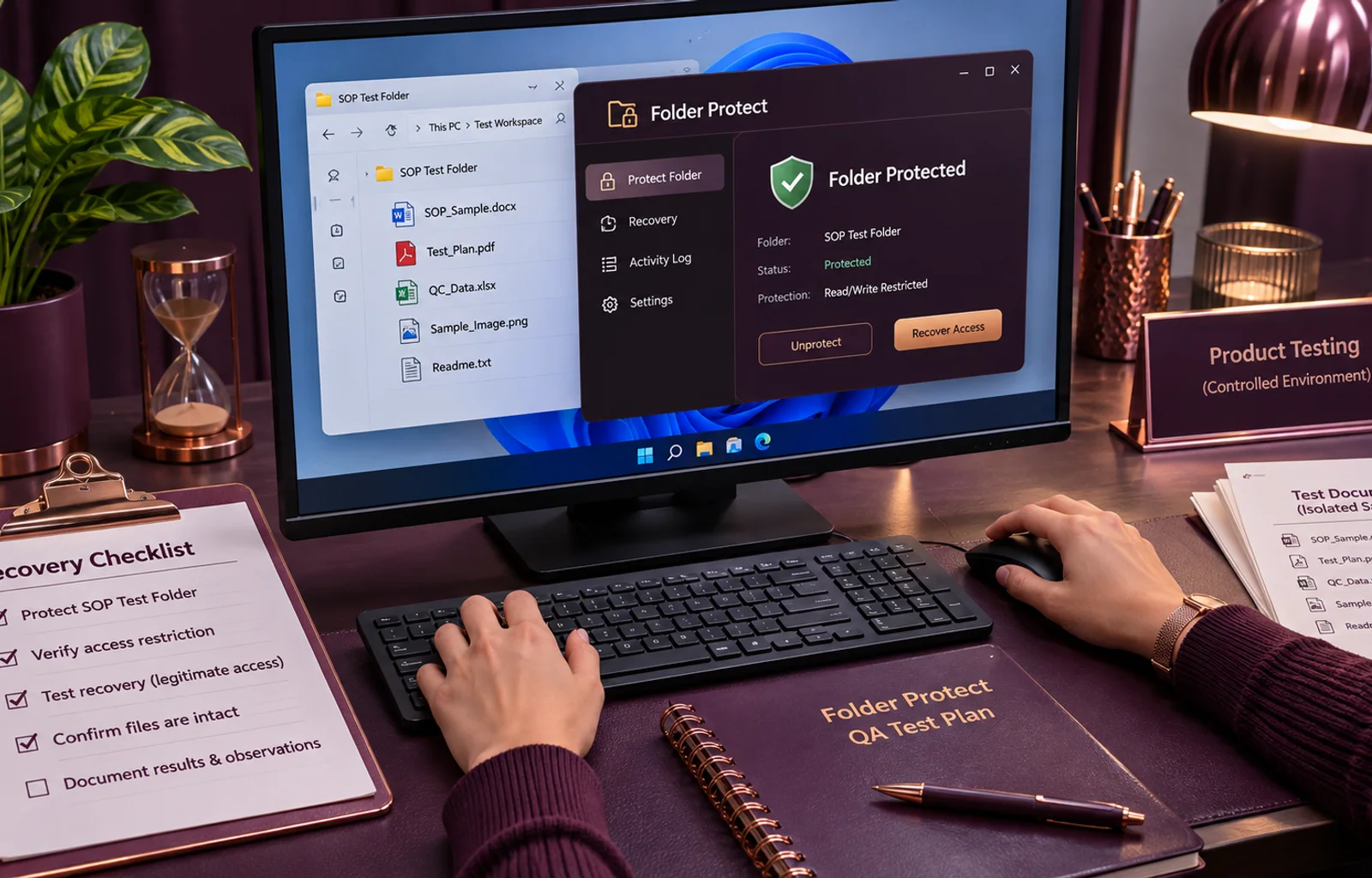
Folder Protect may add local access, write, delete and visibility restrictions to a tested Windows SOP folder, but it should support—not replace—approval, release, backup and privileged-access controls.
Quality assurance coordinators need a narrow answer: can the product reduce routine edits or deletions of an approved local SOP folder without creating false confidence? The answer depends on the current release, Windows environment, account type, exact storage path and an independently recoverable test set.
Evaluate the product in an isolated fictional SOP workspace. Confirm supported behavior against current official information, test ordinary and privileged boundaries, prove recovery, and adopt only the controls that fit the documented release process.
Define the pilot claim before installing anything. A useful claim is narrow and observable, such as “a standard user could not overwrite or delete files in this tested local folder under these conditions.” It is not “the SOPs are secure.” This wording forces the evaluator to identify the account, path, action, product release, operating system and evidence needed for a defensible result.
Plan rollback and recovery at the same time as protection. Keep an untouched fictional test set outside the protected environment, record how to remove or change the control through an authorized path, and verify access after restart. If the product creates operational friction that encourages staff to copy approved files elsewhere, the pilot has introduced a new uncontrolled-distribution risk that must be addressed.
Use this guidance as a review framework rather than a universal configuration. Record the exact Windows version, storage location, account type, document application and protection-tool release used in each test. Repeat representative checks after migrations, updates or ownership changes. A control is ready only when staff can operate it, evidence it and recover from failure without weakening the approved-document boundary.
Each layer addresses a different failure path. None should be treated as proof of the others.
Define the object, owner and expected state before changing any setting.
Test the ordinary workflow with fictional material and record the observed result.
Separate technical restriction from approval, backup and human authorization.
Assign an exception owner and a date for review or closure.
Repeat the test when storage, account, software or process conditions change.
Use fictional material for destructive tests and preserve the live approved master.
Read the current official product information
Create a fictional SOP set and independent backup
Install or evaluate in an authorized test environment
Apply one control at a time
Test with standard and authorized accounts
Restart and repeat representative actions
Restore the original test set independently
Record fit, limits, owner and rollback decision
The pilot record should identify the product release, Windows version, account type, test path, control selected, attempted action, observed result, recovery result and limitation. Avoid turning a vendor screenshot into proof of your environment.
The product does not approve SOP content, validate revision metadata, manage enterprise identities, guarantee protection against administrators or malware, replace backup, enforce recipient behavior, or prove regulatory compliance. Confirm current capabilities from official sources before purchase or rollout.
Interfaces are shown uncropped, at their original aspect ratio, and distributed through the evaluation sequence rather than compressed into a decorative gallery.
Use the authentic boxshot to confirm the product under evaluation; obtain the current installer only from the authorized source.
Start with the official Folder Protect product page to confirm current product scope.
Confirm the current release and protect only a fictional SOP test folder after creating an independent backup.
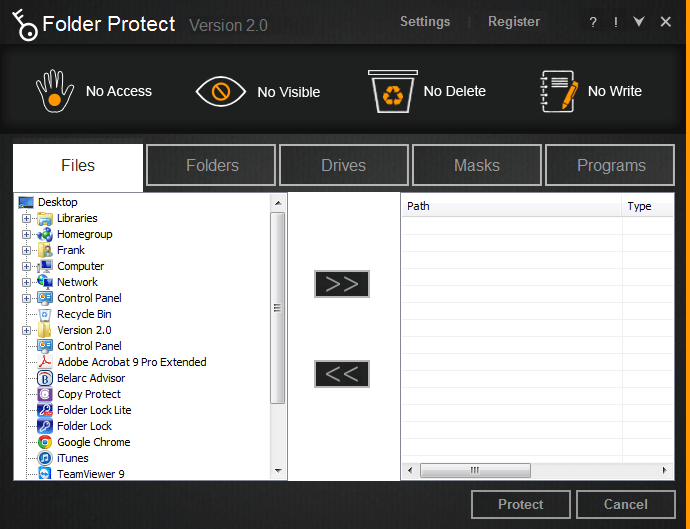
Test an ordinary account against the exact folder path and record which actions remain possible.
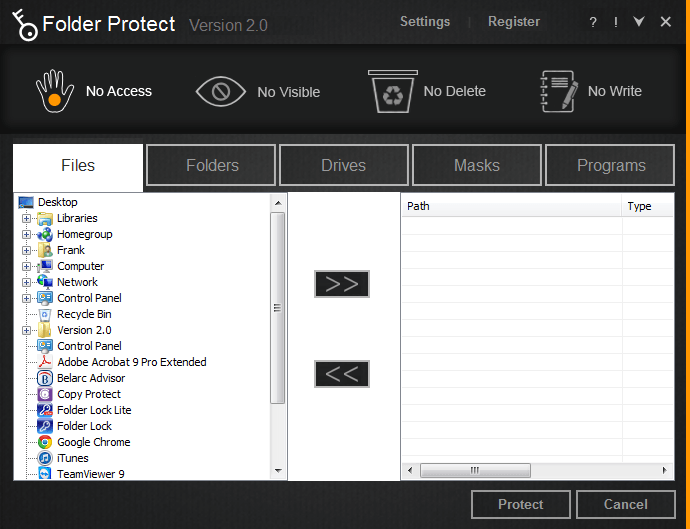
Attempt save, overwrite, rename and metadata changes separately; a blocked save does not prove every edit path is closed.
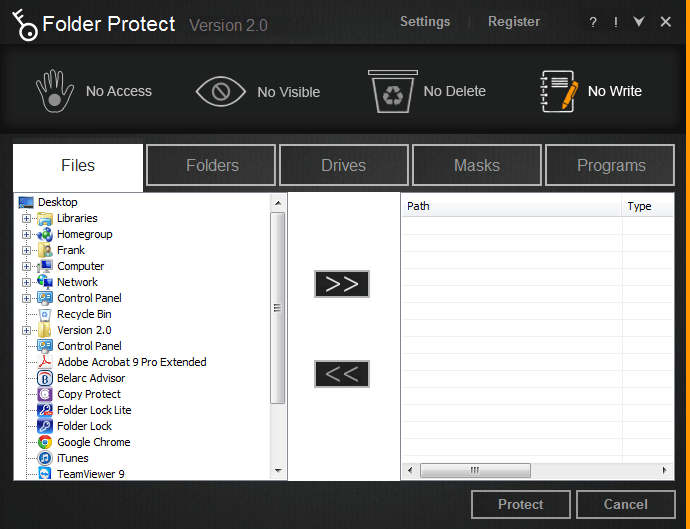
Test delete, shift-delete, move and replacement without touching the only approved master or its only recovery copy.
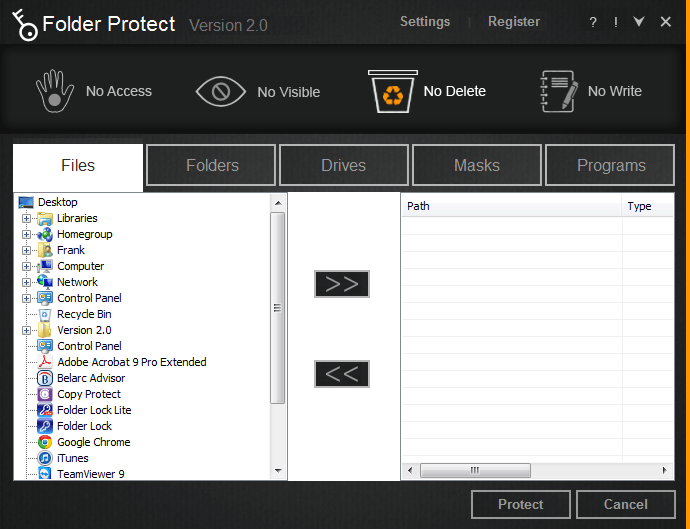
Confirm the protected path, restart behavior and independent recovery consequence before accepting the pilot.
Review the official Folder Protect FAQ for current questions before recording a recommendation.
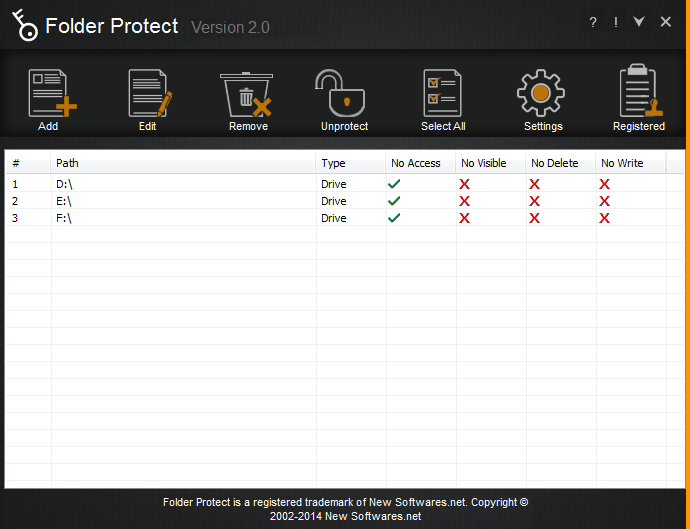
No. It is a local protection tool. Approval routing, version governance, distribution, retention and audit processes still need appropriate systems and procedures.
No. Use a fictional representative folder and an independent backup before considering a controlled pilot.
Recommend only the tested capabilities that reduce a defined local risk, with limitations, recovery and process ownership stated plainly.
Select only conditions verified on the actual workflow. The result is a decision aid, not a system scan.